Dive 3.19: More Accuracy. Less Friction.
Many of the changes in Dive start with feedback from the people using it every day. And we are moving fast to turn that feedback into action.
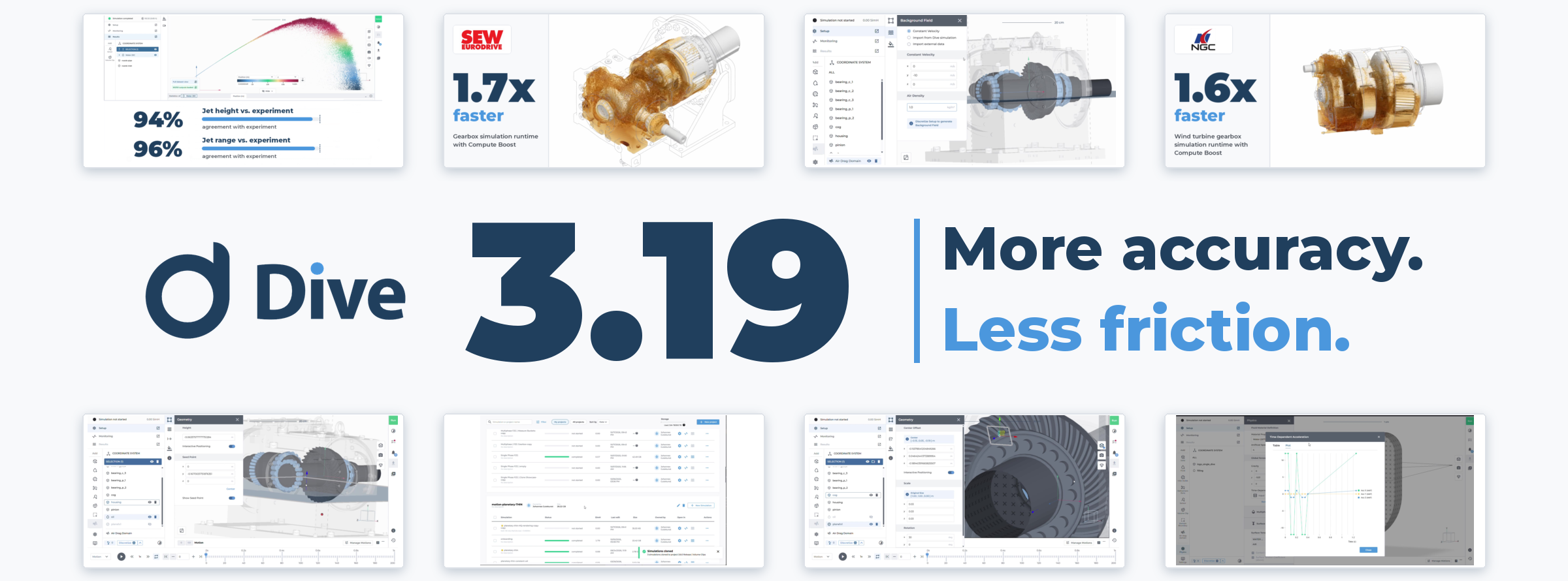
Dive 3.19 brings 28 changes together, including a new air drag model, Compute Boost in North America, and several workflow improvements you will notice in your daily work.
This is our third release in three months: Video Generation in September, Compute Boost in October, and now November’s release, making simulations more accurate and easier to use.
Air Drag: New Model, More Accurate Results
If you simulate gearboxes, e-engines or water management cases such as IPX, Dive 3.19 introduces a new, improved air drag model that replaces the previous model.

The new model is validated in several cases, from individual droplets to inclined and transverse jets, and it remains stable in complex customer applications, such as spray nozzle and e-engine simulations.
Validation results show strong agreement with experimental data:
The model also accounts for the effects of droplet clusters, including crowding and occlusion. This produces more realistic behavior when particles interact with the surrounding air.
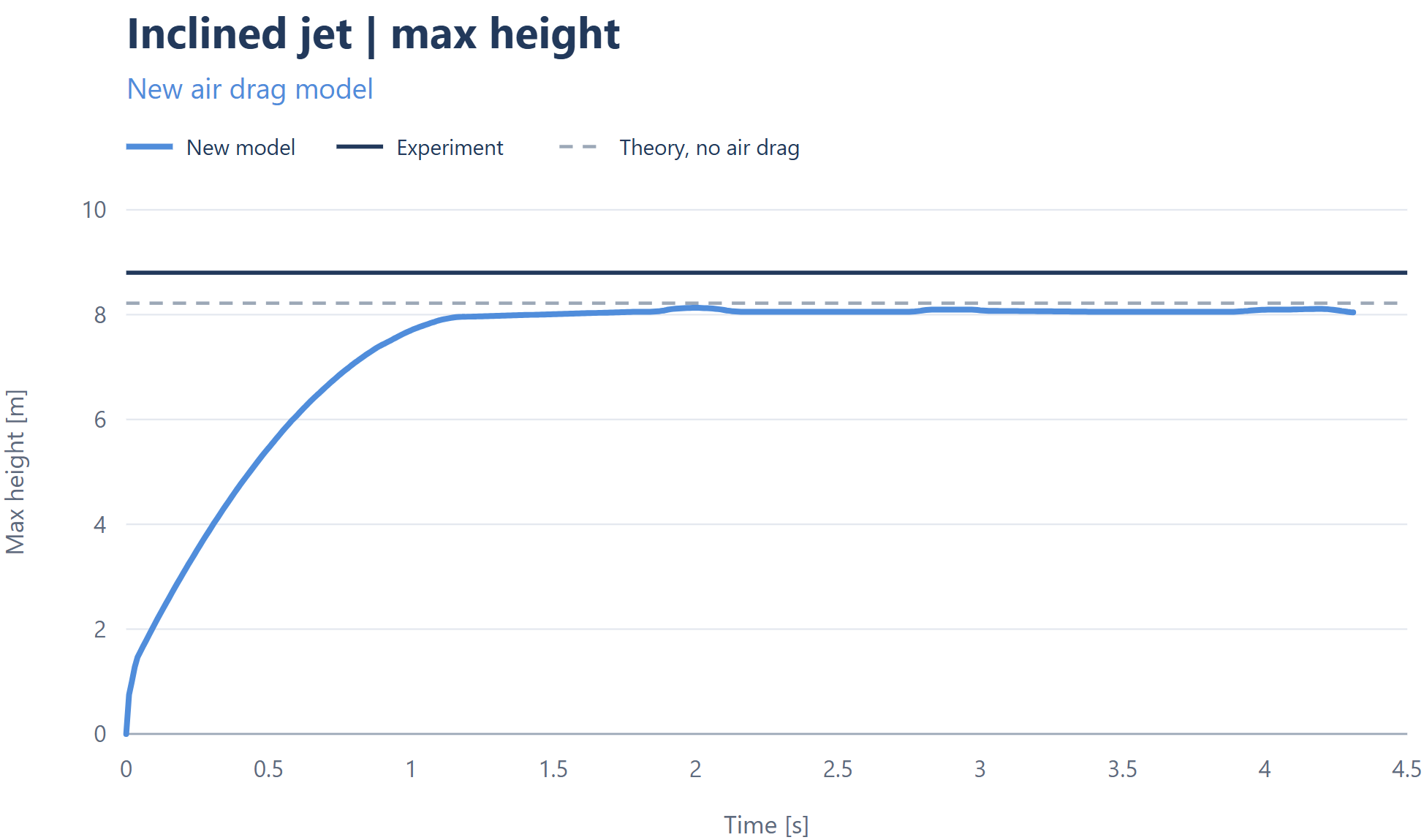
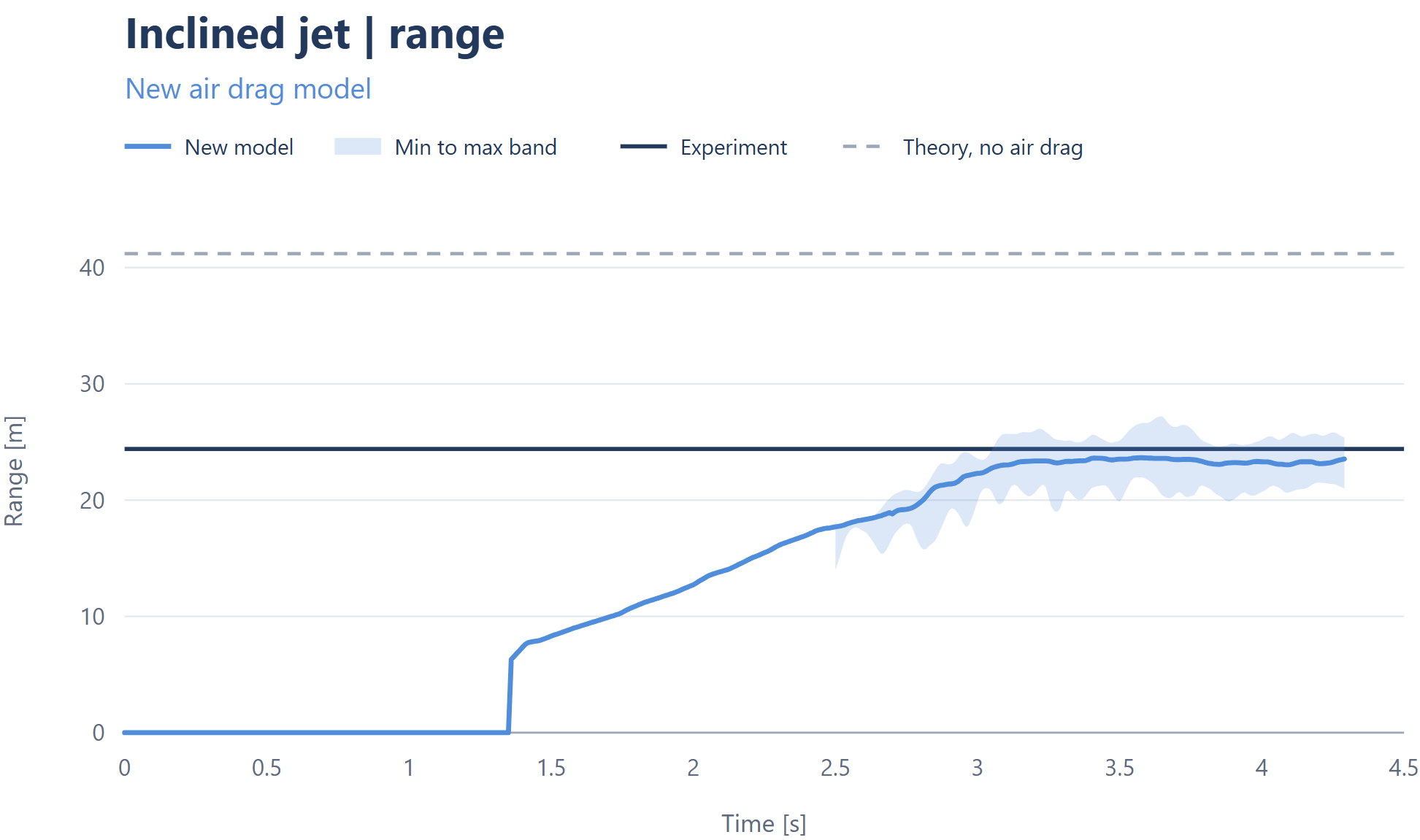
We tested the model across six cases:
- Single droplet fall: terminal velocity within 10% of literature.
- Windy droplet: agrees with the multiphase reference.
- Inclined jet: correct height and range
- Traverse jet: much closer to literature than before.
- Customer spray nozzle: stable, probe velocity near the expected value.
- Customer e-engine: stable results.
Air Density: Customize to Your Operating Conditions
You can now define a custom air density for the air drag domain instead of relying on a fixed default value.
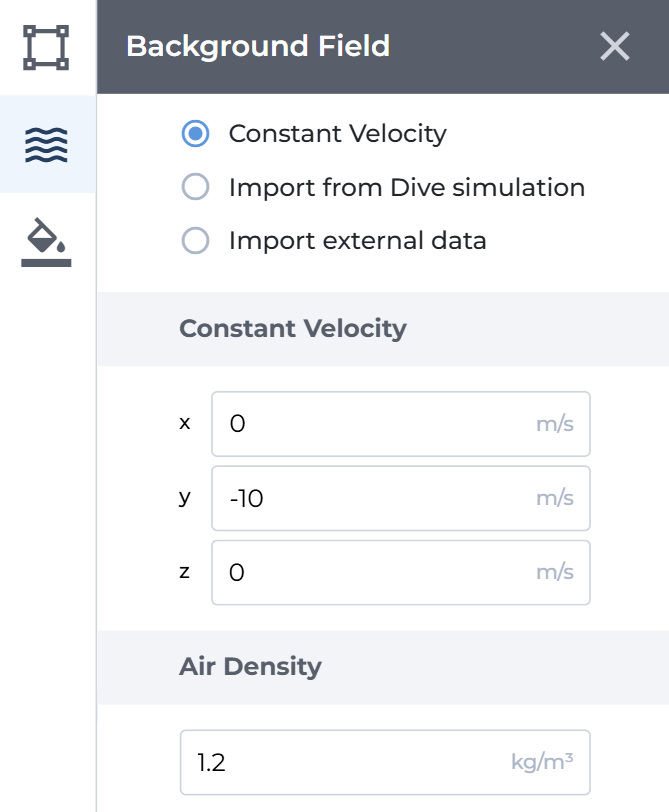
This makes it possible to reflect different operating environments and use cases more accurately, including pressure differences, or applications involving gases with different densities.
Compute Boost: Now Available in North America
Teams in North America can now use Compute Boost to run large simulations on accelerated hardware and get results sooner.
Compute Boost runs simulations up to 2x faster than Standard mode, with most simulations in internal testing achieving a speedup of approximately 1.6 to 1.8x. The simulation setup, workflow, and accuracy remain unchanged.
See customer examples below:
Compute Boost is available to customers on Production, Excellence and Global Group licenses.
Multi-Select: Move, Clone or Delete Multiple Simulations at Once
When a project contains many simulations, handling them individually quickly becomes repetitive.
Dive 3.19 adds multiselect to the projects page. You can now select several simulations, including simulations from different projects, and:
- Move them to another existing project
- Clone them
- Delete them

This reduces repetitive project administration and makes it easier to organize larger simulation studies.
Clipping Plane: A More Intuitive Workflow
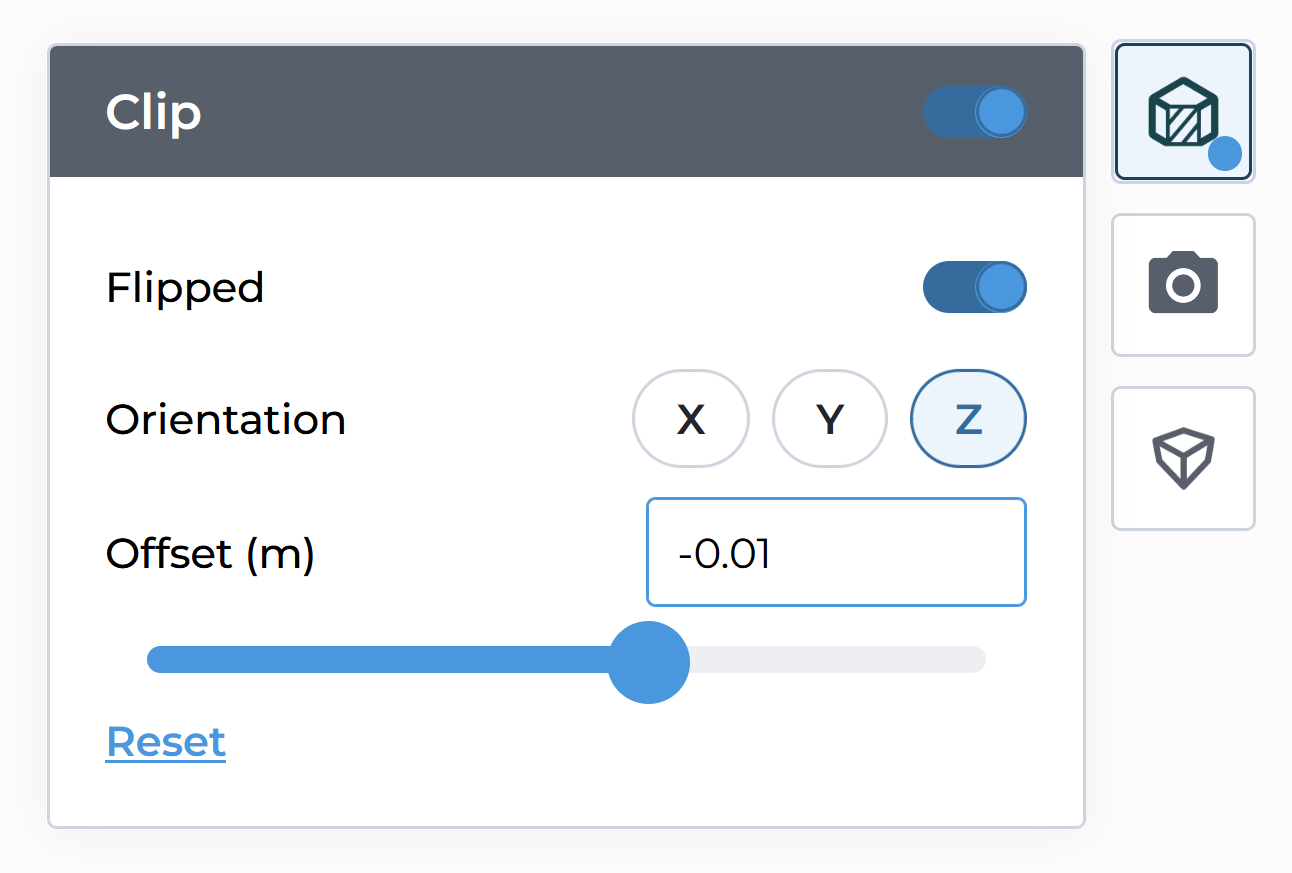
The clipping plane now remains visible while you position it, making it easier to understand exactly where the model is being clipped.
The updated controls also include a slider for adjusting the clipping position without changing the camera view.
Filling Plane Interactive Positioning: Drag the Filling Level Directly in 3D
You can now adjust the filling level interactively instead of entering the position manually.
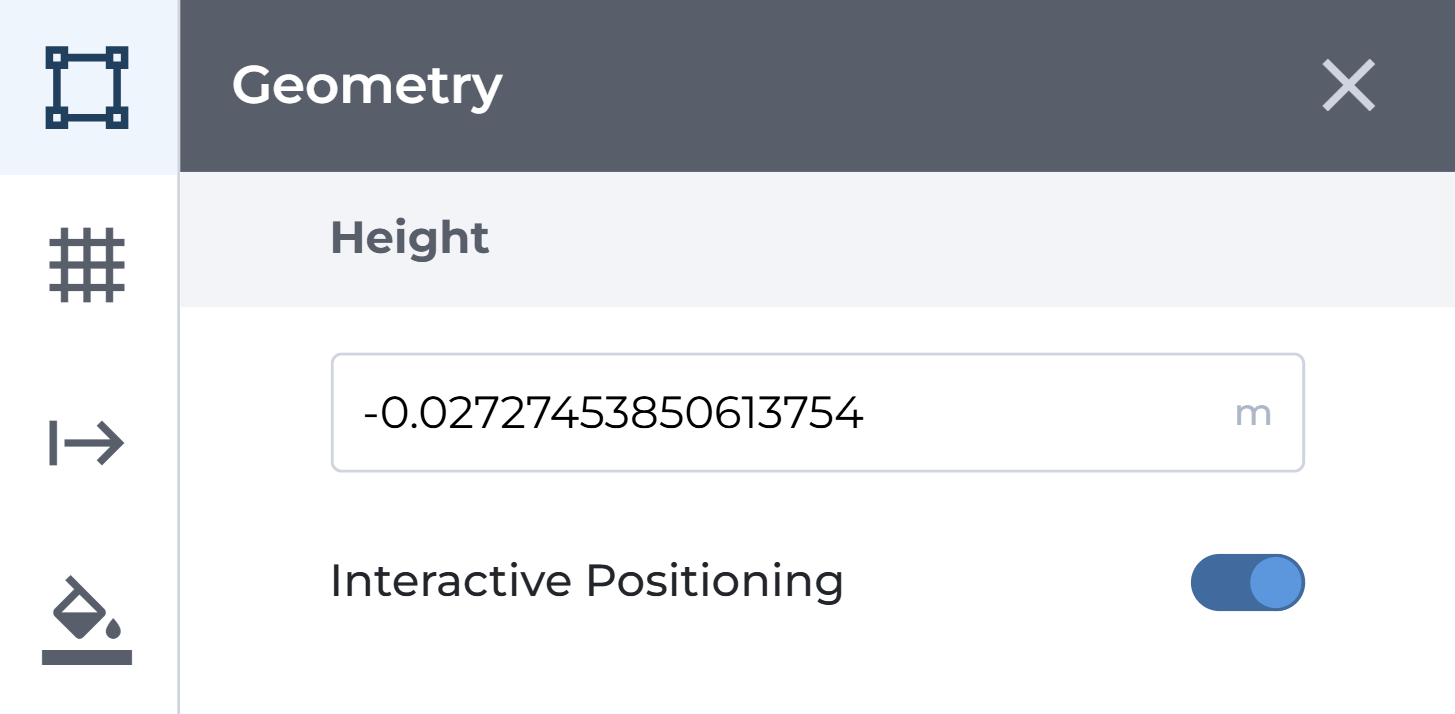
Toggle Interactive Positioning and drag the filling plane directly in the 3D view. This provides a faster and more visual way to define how much fluid should be included in the system.
Interactive Part Positioning: Accurate Drag and Drop
New precise, interactive part positioning is now available.
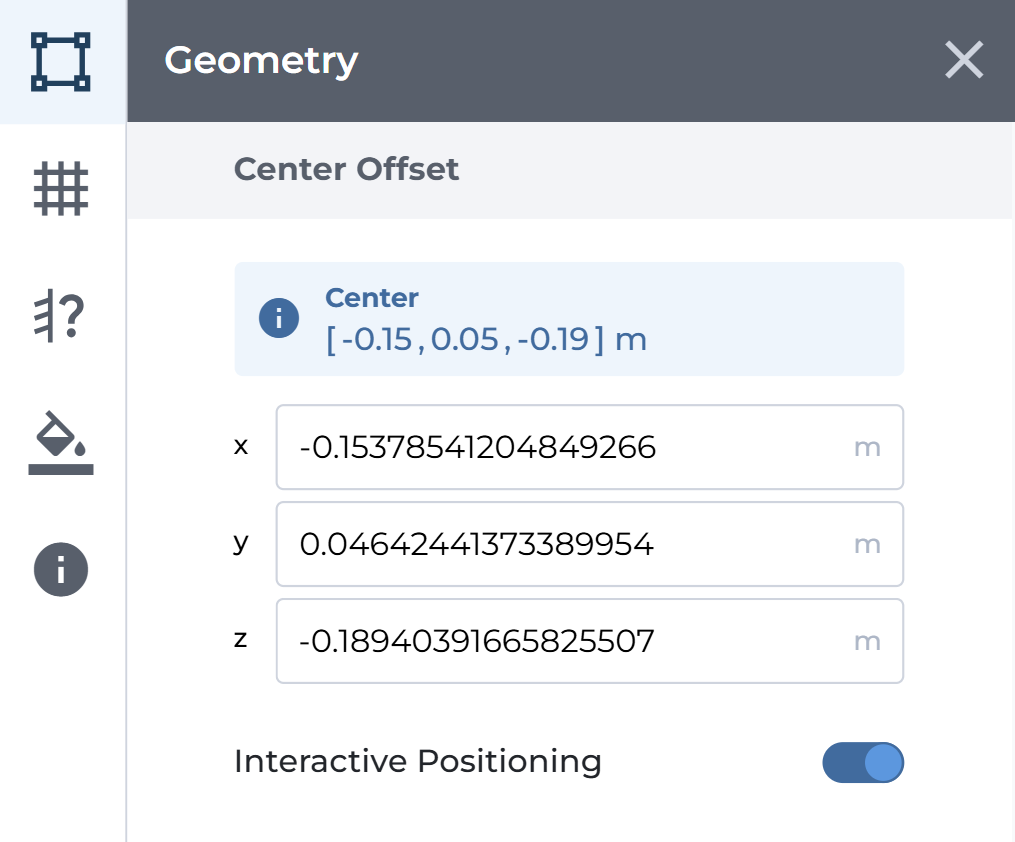
Drag a part anywhere in space and it stays exactly where you drop it.
Time-Dependent Acceleration: Define External Forces
Time-dependent external acceleration can now be created and reviewed through a data table directly in Dive.
You can:
- Insert and edit values in the table
- Upload an existing CSV file
- Validate the input
- Visualize acceleration over time in a plot
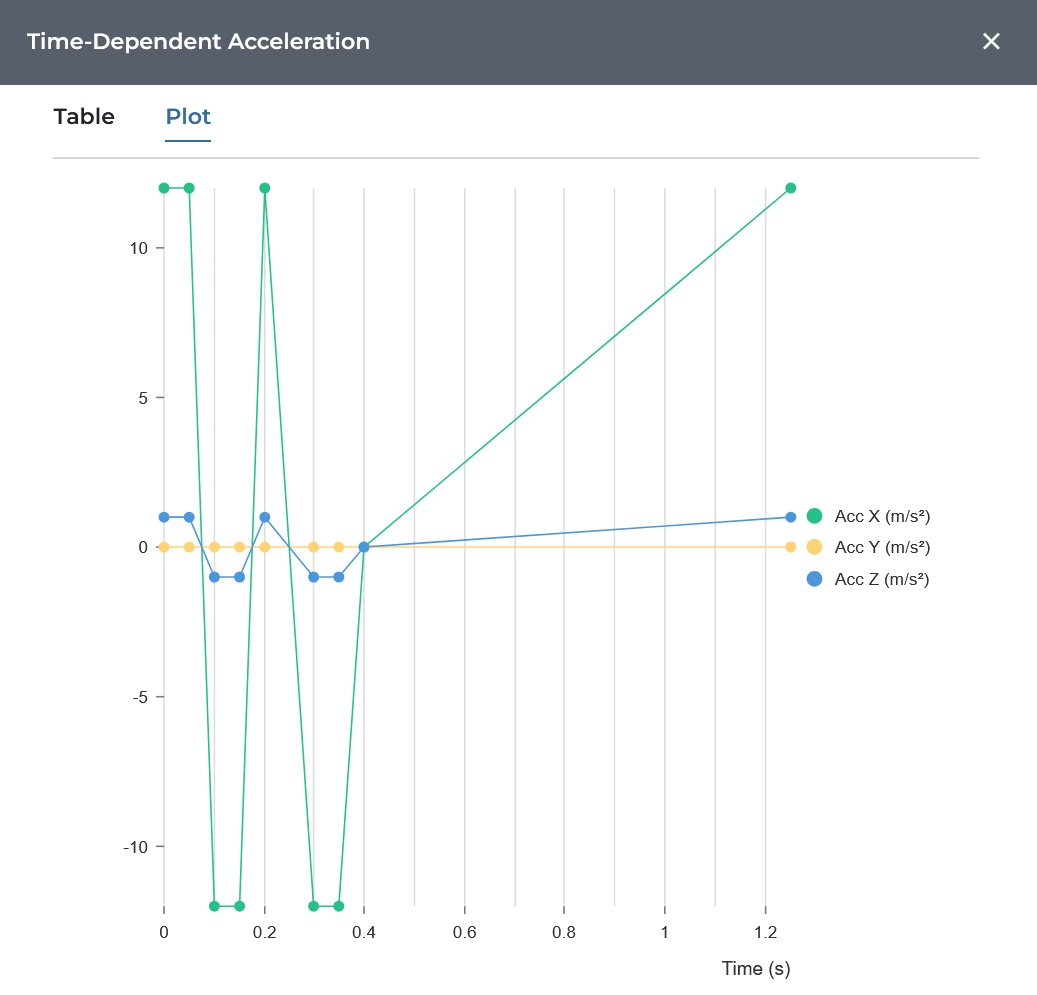
The underlying simulation capability was already available, but the new workflow removes the need to prepare and check the complete input outside Dive. This is particularly useful for applications such as vehicle sloshing, where acceleration changes over time and across multiple directions.
Dive 3.19: Further Improvements
The release also includes several improvements across simulation setup, post-processing, exports, and the frontend, such as:
- Sensor geometry loads only once per simulation in post-processing, so it’s faster.
- Numbers and dates follow the user’s browser settings.
- Simulation hours instead of credits are now used consistently throughout the platform.
Furthermore, Dive 3.19 brings several smaller improvements and fixes to the platform, that ultimately lead to a more stable environment.
Get Started With Dive 3.19
If you are a Dive customer, Dive 3.19 is available now. Open Dive and try these features on your next simulation.
Considering Dive for Your Simulation Work?
Talk to a simulation specialist and see how cloud-native simulation can help your team get results faster.